
Kick
A live-streaming platform that skips the sales pitch and opens on a stream already playing, chat and all.
Inspected by Colin Pace +1 more
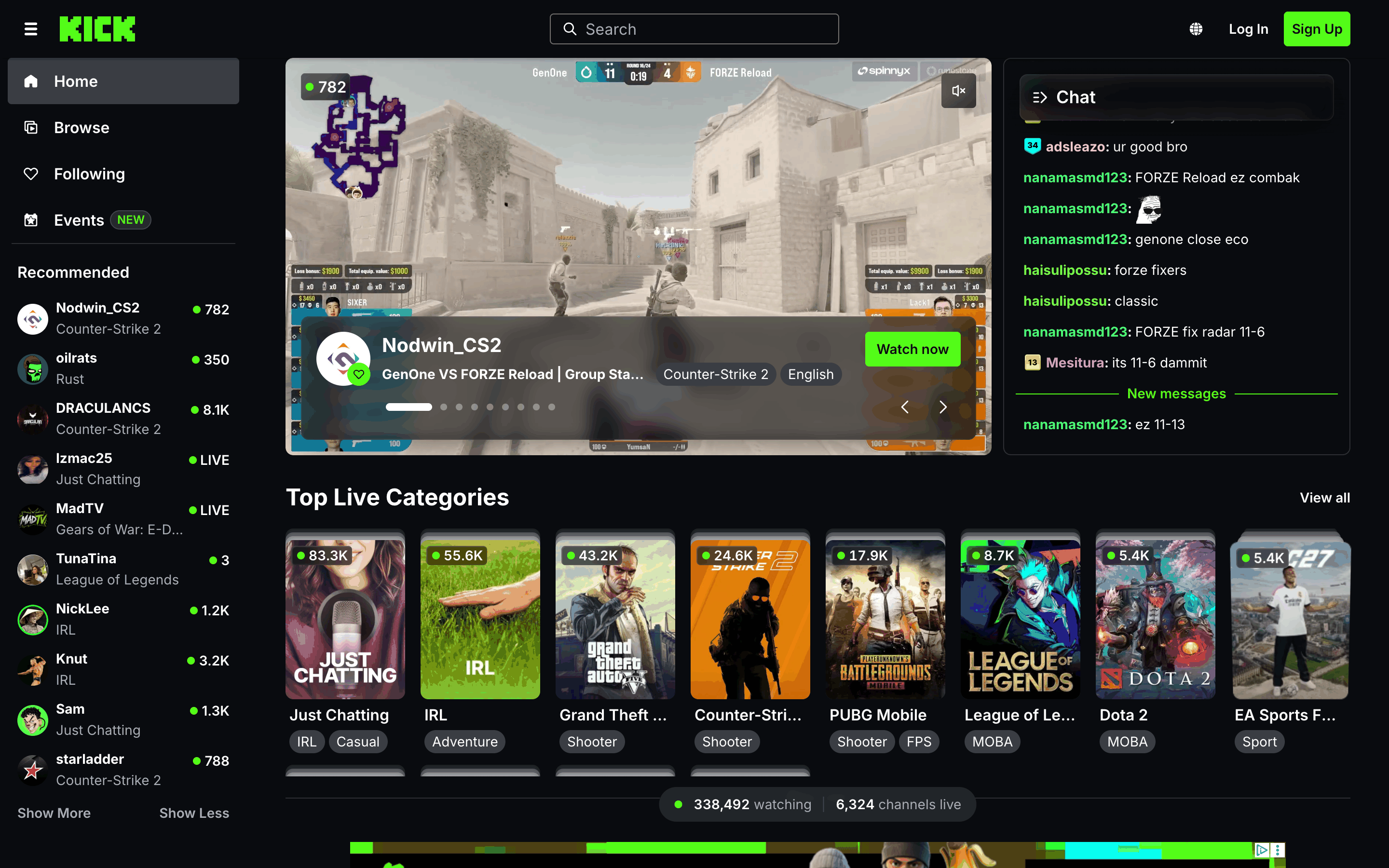
We held Kick to the standard of a platform at its scale, and it meets the bar. The front door is the product: a live stream, its chat and the most-watched categories, before any account is asked for. Sign-up is quick, and it ends in a reward rather than a form. The interface stays out of the way of thousands of streamers' worth of color, with one acid green reserved for the things you can press. Worth your shortlist.
Two-minute review
Kick puts a live stream in front of you before it asks anything, and for anyone who already knows they want to watch gaming or IRL streams, that is the whole pitch.
Most products open on a promise. Kick opens on proof. Type the address and a stream is already running in the middle of the page, with its chat scrolling beside it. There is no headline and no tagline. The page simply shows you what the product does, and that is enough to pass a five-second test.
Everything around the player points somewhere to watch next. A sidebar of recommended channels, each with a live viewer count. A row of the top live categories, with the number of people in each. Then rows by category, all built from the same card. The counts do the job testimonials do elsewhere: you can see thousands of people here right now.
Watching needs no account. Signing up is for following, chatting and collecting rewards, and it is quick. One dialog, a code by email, a short set of questions. Then a treasure chest to open.
The design is quiet on purpose. Black and grey chrome, one acid green for the controls, and the color left to the streams themselves. It holds that line from the homepage to the account menu.
Overview
What is Kick
Kick is a live-streaming platform for watching and broadcasting, in the same space as Twitch. Viewers can watch any stream without an account. With one, they can follow channels, chat, collect rewards and support the streamers they watch, as the pricing take below explains. The biggest categories are gaming and IRL, with Just Chatting, music and creative streams alongside them. Kick runs on the web, iOS, Android and TV, and the product is made by Kick Streaming Pty Ltd.
The front door is the product
The homepage is the app itself. The featured stream sits at the center with its chat on the right, and the carousel under it rotates through other live channels. On a first visit the stream plays without sound, so nothing shouts at you before you choose it. Search sits in the middle of the header, the one control that matters when the featured stream is not your thing.
One tip: open a channel from the Recommended sidebar rather than scrolling the rows below. It takes you straight into the stream, this time with sound on, since you asked for it.
A sign-up that ends in a treasure chest
The Sign Up button in the header opens a single dialog. It asks for an email, a birthday, a username and a password, with Google and Apple as alternatives. The newsletter box starts unticked. The verification code arrives by email in seconds, and pasting it moves you on without another click.
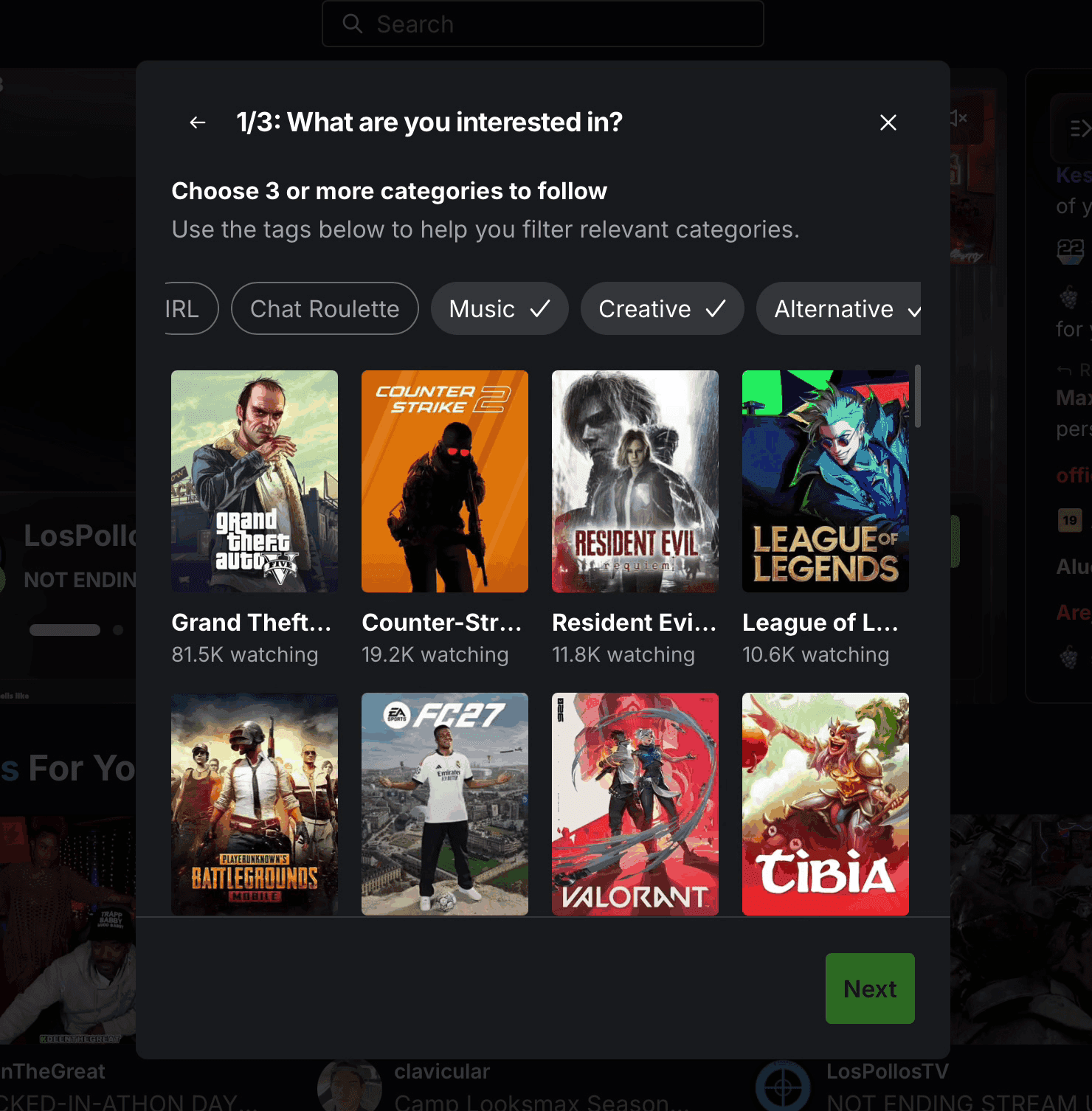
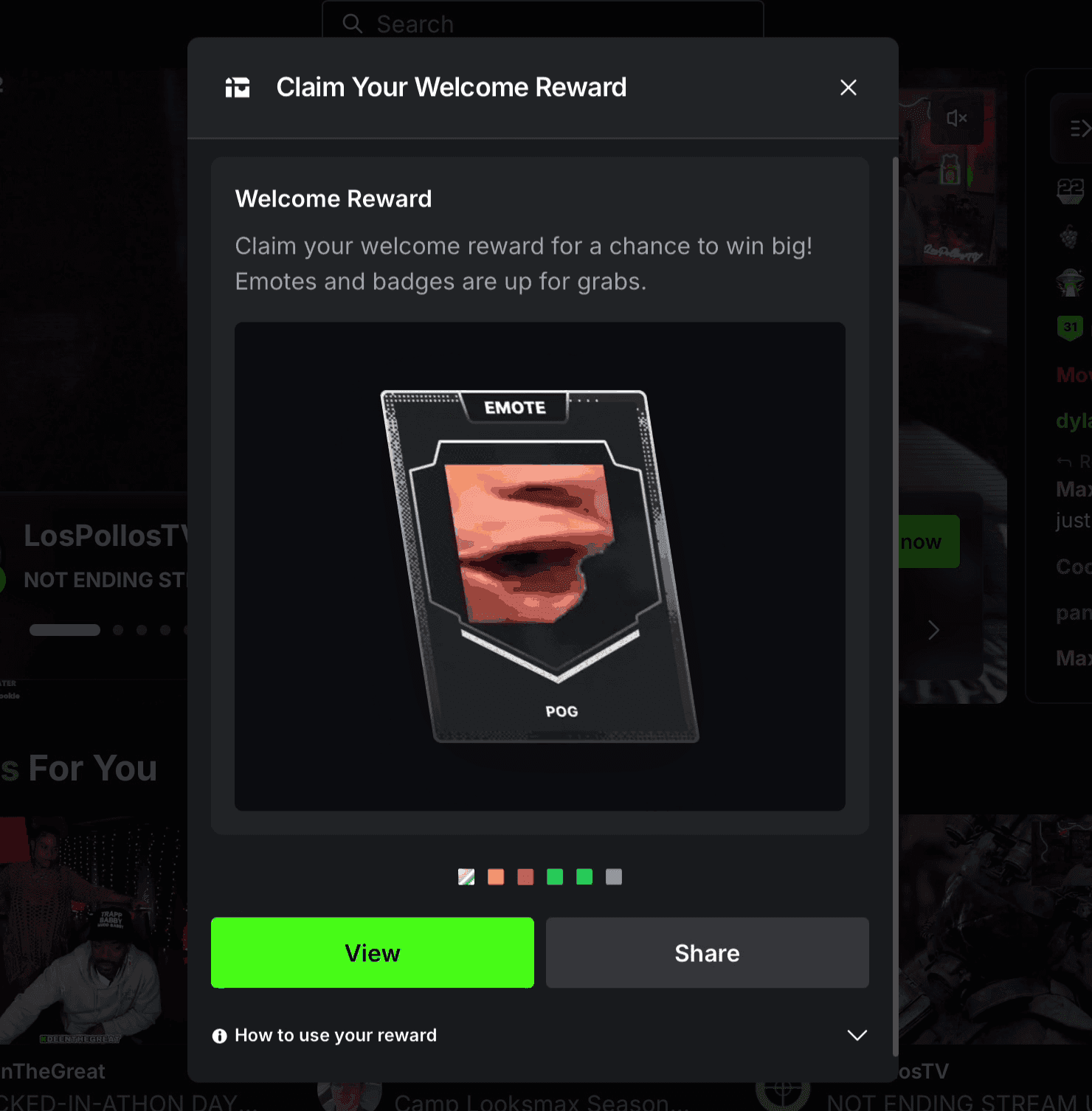
Then Kick asks what you are into. You pick a few interests and a few channels to follow. The last step opens an electrified treasure chest holding a collectible emote, ranked by rarity from common up to mythic, and shareable straight to X, Facebook or Discord. Before the questions, Kick asks you to accept its terms in full. Few consumer apps do that.
Green does the pointing
The palette is black, white and grey, with one acid green. That green marks the things you can act on: Watch now, Follow, Sign Up, the live badge. Everything else steps back, so the color on screen belongs to the streams. Cards share one layout across every category. Loading states use placeholders shaped like the content they stand in for, so the page does not jump as it fills. The same button styles carry from the homepage through the channel page to the account menu.
In practice: from a cold start to a channel's chat
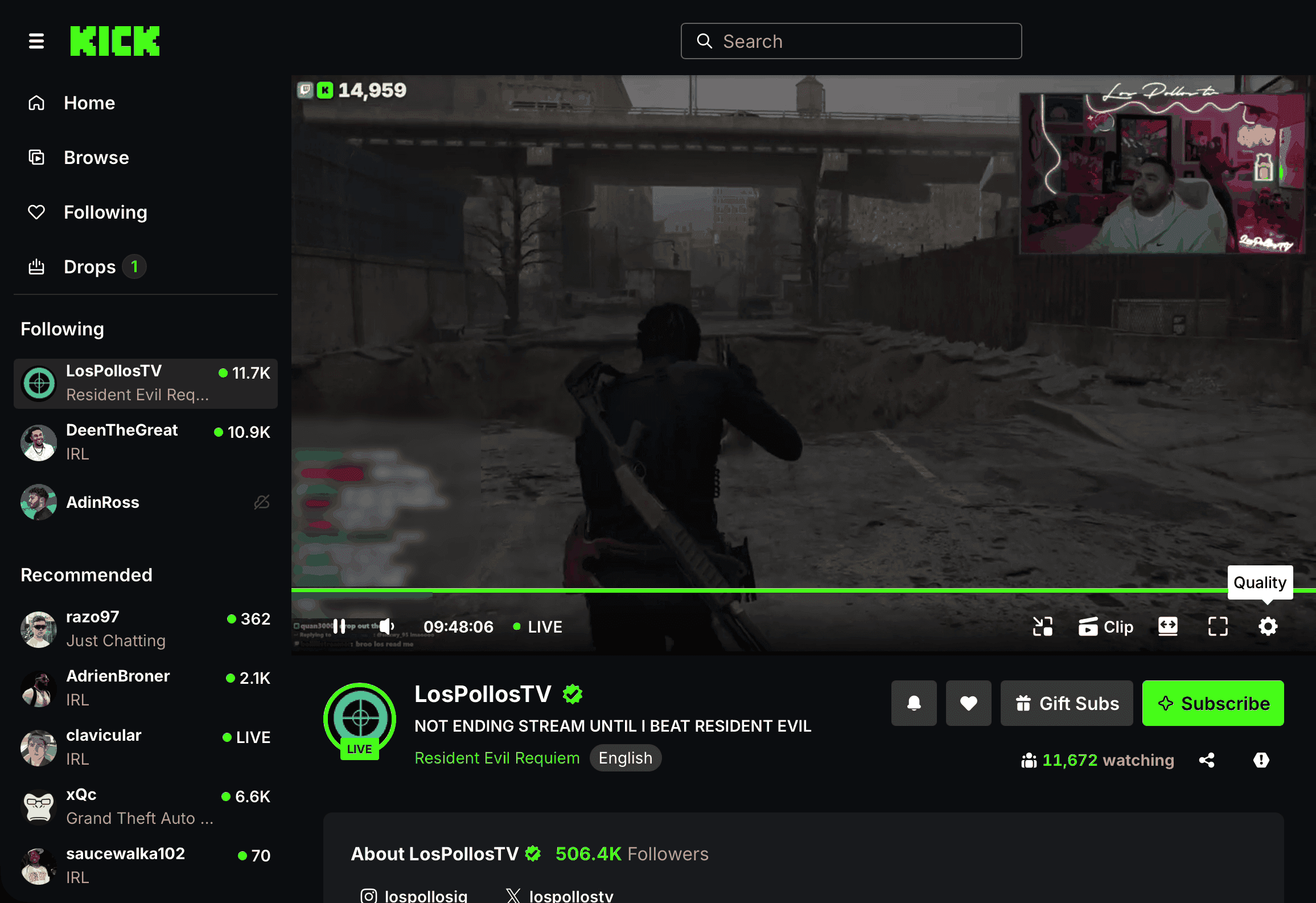
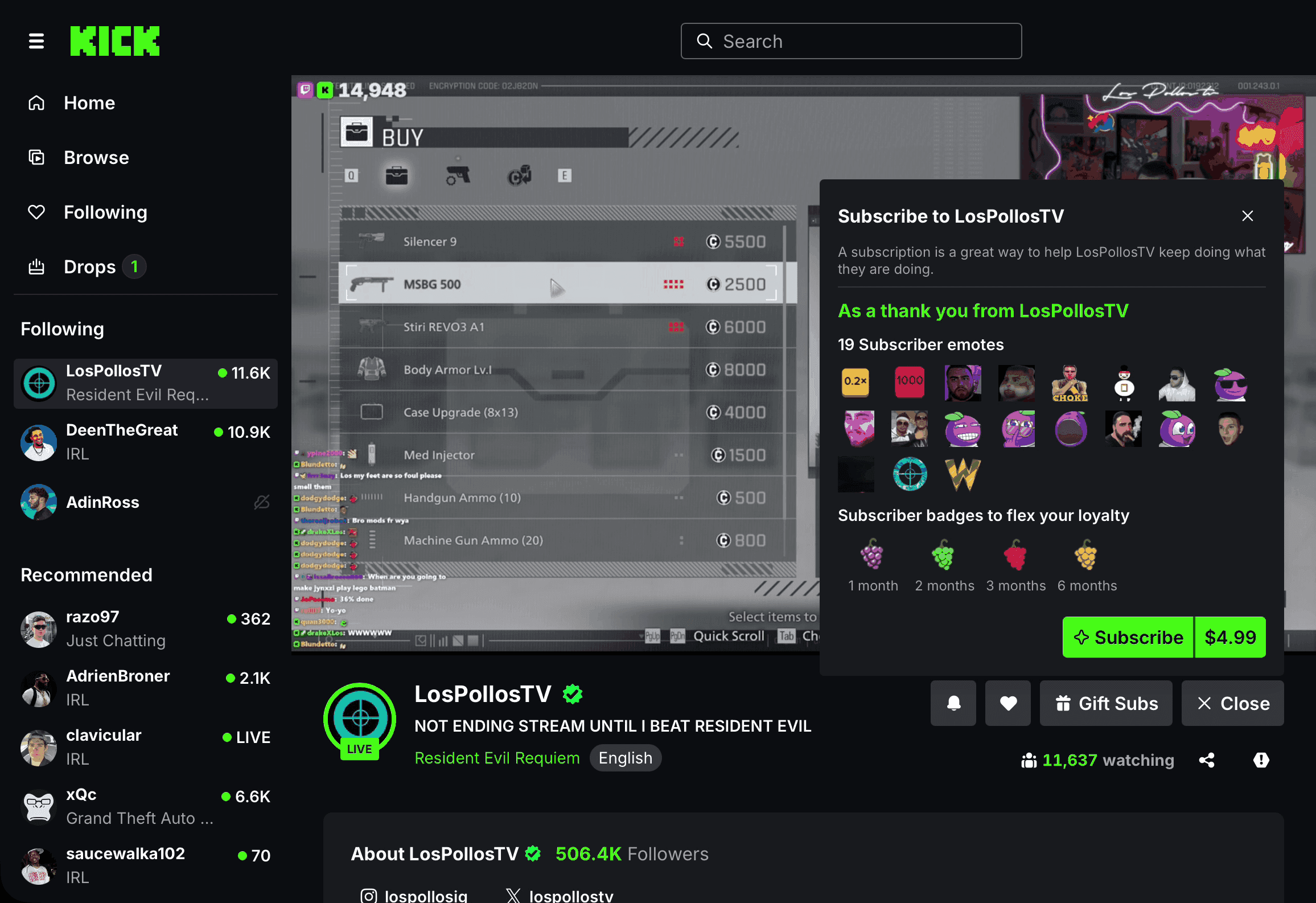
A cold run started on the homepage and opened the featured stream, a Resident Evil run with nearly 12,000 people watching. The player offers picture-in-picture, theatre mode, full screen and a quality setting. The chat runs alongside, with emotes, channel points and a profile card for anyone you tap.
Chatting takes a follow first. Following is one green button, and the channel then moves into the sidebar under Following. Some channels add a wait before new followers can post. This one asked for 25 minutes, and the chat box says so in place of the cursor. Below the player, the streamer's About panels link out to their other channels, including YouTube, Discord, Instagram and X.
A search for something less mainstream worked the same way. Typing "cooking" into the header search led to a Cooking category with live channels in it, and one click opened a streamer cooking on camera.
The pricing take
Watching on Kick is free, and the money goes to streamers. A channel subscription was $4.99 a month at checkout, and Kick's help center says the price is the same in every country it supports. It unlocks that channel's subscriber emotes and a loyalty badge that changes at one, two, three and six months, and you can gift subs to other viewers. Kick says streamers keep 95% of subscription revenue. KICKs, the platform's own currency, come in one-off packs that are non-refundable and are used to tip and reward streamers. The first purchase asks you to set up two-factor authentication. Kick began showing ads in August 2026. If you only watch, you can use Kick without paying at all. If you have one streamer you watch every week, the subscription is the direct way to back them.
Final thoughts
If what you want is a stream playing within seconds and a crowd to watch it with, Kick belongs on the list next to Twitch.
Choose it if:
- You watch gaming, IRL or Just Chatting streams and want them a click from the address bar
- You like a chat-first community with emotes, rewards and collectibles
- You like to drop into whatever is live and find a crowd already watching
Look elsewhere if:
- You want a curated catalog of on-demand video rather than whatever is live right now
- You mainly want how-to and learning content, since Kick is built around entertainment
- You prefer a calm, minimal screen, since every Kick page is busy with live video and a moving chat
What is Kick?
Kick is a live-streaming platform at kick.com, with apps for iOS, Android and TV. You can watch live streams in gaming, IRL, Just Chatting, music and more without an account. With one, you can follow channels, chat and support streamers directly.
Who is Kick for?
Two groups. Viewers who want to watch live gaming and IRL streams and join the chat. And streamers who want to broadcast and get paid by their audience. The homepage is built for viewers, and creators get their own dashboard once they sign in.
How much does Kick cost?
Watching is free. A subscription to a single channel was $4.99 a month during the inspection, and Kick says the price is the same in every country it supports. KICKs, the platform currency used to tip and reward streamers, are sold in one-off packs and are non-refundable. Kick shows ads from August 2026.
Do you need an account to watch Kick?
No. The homepage plays a live stream as soon as it loads, and any channel can be watched logged out. You need an account to follow channels, chat, claim rewards or pay a streamer.
What are KICKs?
KICKs are Kick's own currency. You buy them in packs and spend them on streamers you watch, as tips and rewards. Purchases are final and non-refundable, so buy the pack size you expect to use.
Before the world sees it, let the inspectors see it first.
Expert review · 48-hour turnaround · A review that stays