
Timebook
An AI product discovery platform that reads customer feedback and turns it into ranked opportunities and drafted solutions.
Inspected by Colin Pace +1 more
Two-minute review
Timebook turns customer feedback into ranked product opportunities, and its first session opens on a competitor report it writes from your website before you have added any feedback at all.
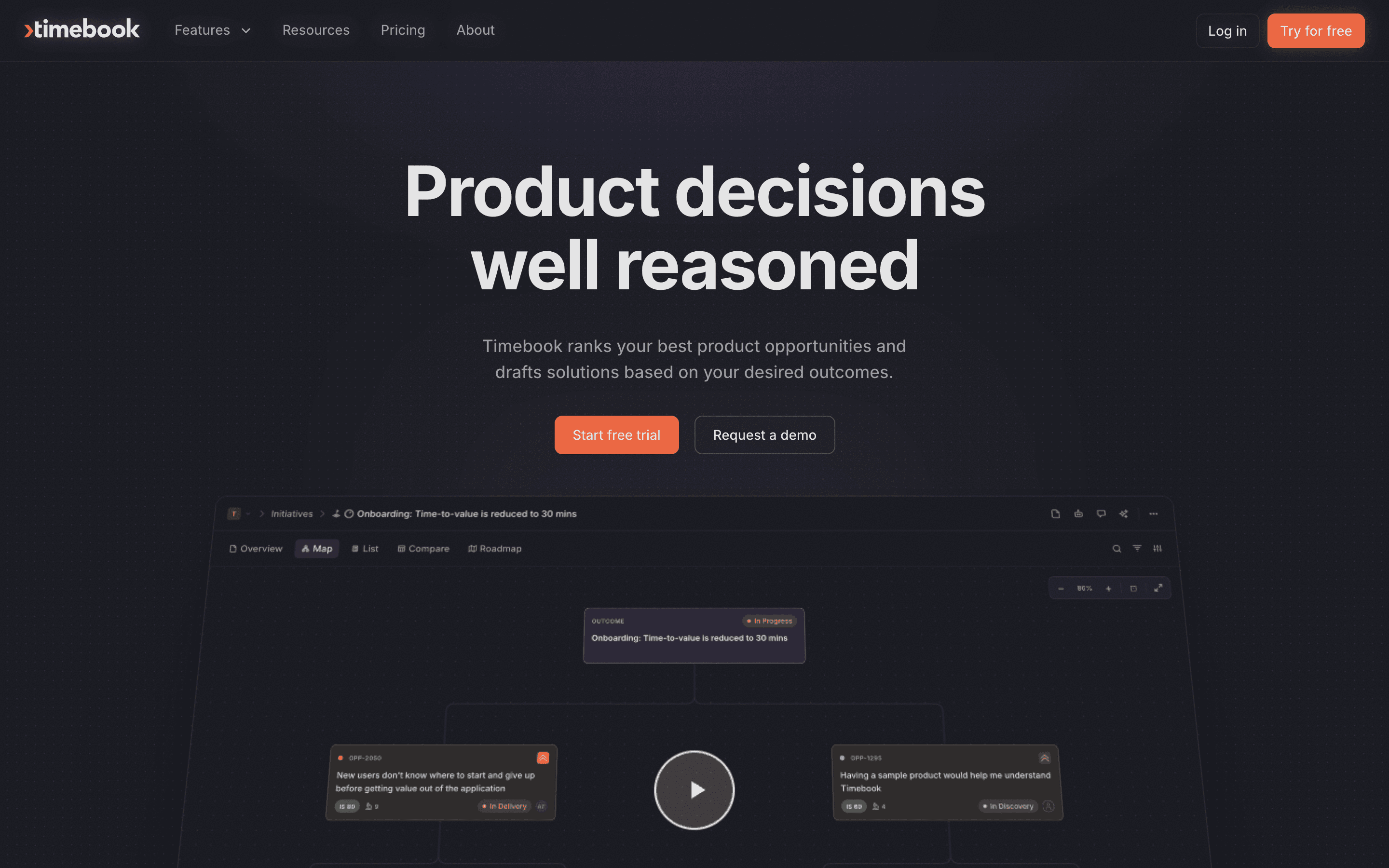
The pitch fits in one line. Customer evidence goes in. A ranked list of the problems to solve comes out, each with a drafted solution and a trail back to what customers said. The homepage headline puts it in four words: product decisions, well reasoned.
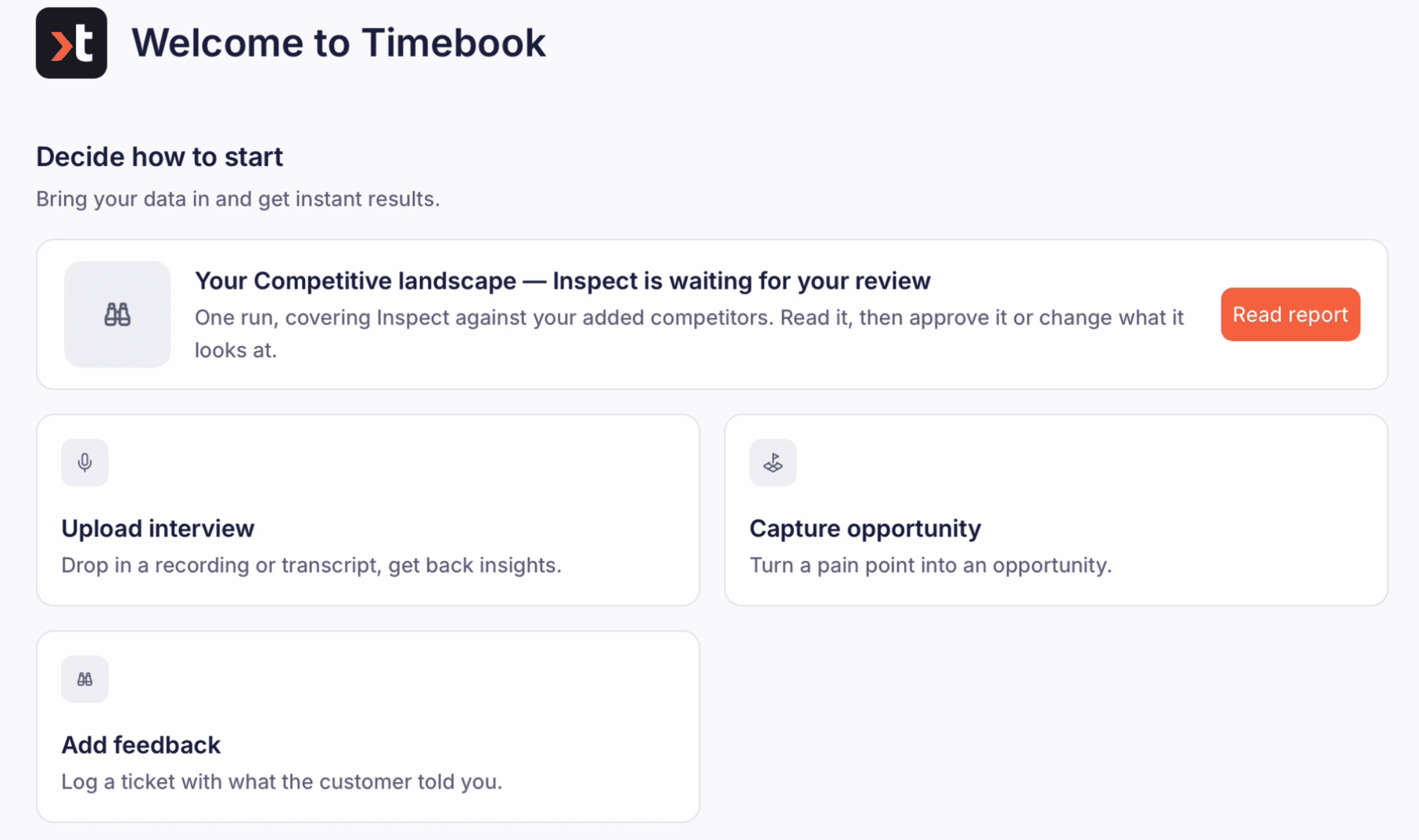
Getting in is quick. You name a workspace and a product, and point Timebook at your website. It reads the site, suggests the competitors you probably track, and builds a competitive landscape report. That report is the first thing waiting on the dashboard, ready for review.
The rest depends on what you bring. Feedback arrives three ways. You can upload an interview, paste a note, or connect a tool. A pasted customer note becomes a feedback item within seconds, with follow-up actions drafted by the AI.
So the first session shows the method on a single note. The ranking needs a body of customer evidence behind it. In a new workspace, that is the part you build first.
Overview
What is Timebook
Timebook is an AI product management platform for teams who turn customer feedback into roadmap decisions. It links the steps of product discovery into one loop. Feedback comes in from interviews, messages and connected tools. The AI reads each piece and pulls out insights, and insights can be escalated into opportunities.
Each opportunity carries an impact score, built from how important the problem is to users and how satisfied they are today. Solutions, PRDs and stakeholder reports follow from there, and work can be sent on to delivery tools. Underneath sits a knowledge base of product context, competitors and documents that the AI draws on. A narrated tour of about ninety seconds explains the loop on the homepage, and the same tour is linked from inside the app.
A competitor report before any feedback
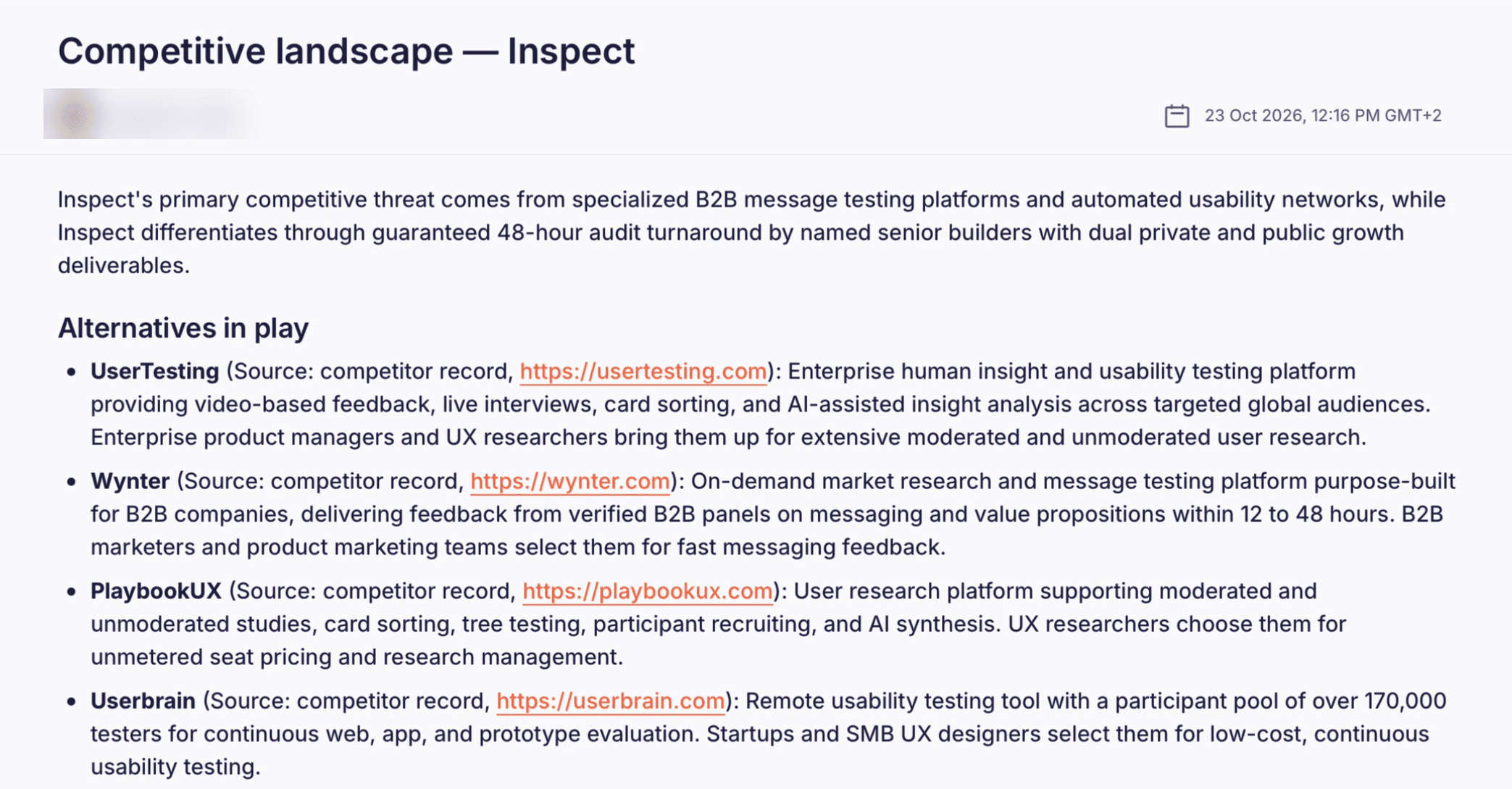
Onboarding asks for your name, a workspace, a product and its website. As you fill those in, Timebook gathers product knowledge from the site and proposes competitors to track. For a research-tools workspace it suggested names like Maze and UserTesting, with room to add others by hand.
The first screen after setup is a getting-started checklist. Its first item is the competitive landscape report: where the product wins, where it lags, and who sits closest. Reports carry an Approve and send step, the review gate before anything goes out to stakeholders.
A pasted note becomes a ticket
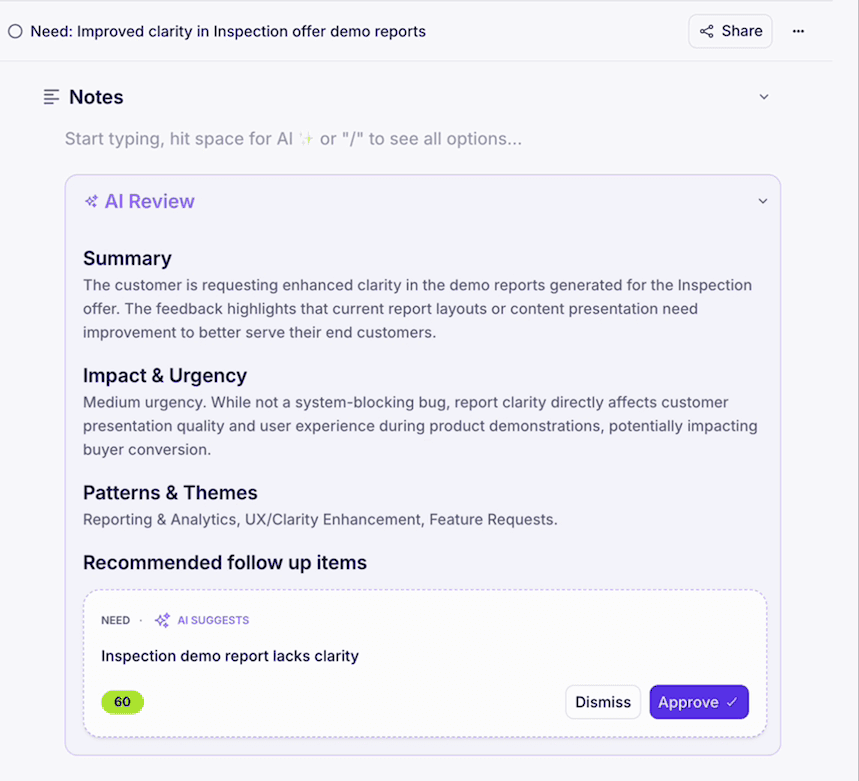
The quickest way in is the feedback box. Type or paste what a customer said, and Timebook files it as new feedback, gives it a title, and drafts follow-up items for review. A one-line request about a demo report came back as a summarised ticket with suggested next steps, before the page had finished settling.
Interviews arrive as uploads: text or subtitle transcripts in .txt and .vtt, or video and audio files. Spreadsheets are not among the accepted files. Dropping a CSV or a PDF into the box does nothing, so a backlog exported from another tool goes in through an integration, or one note at a time.
The connections sit in settings
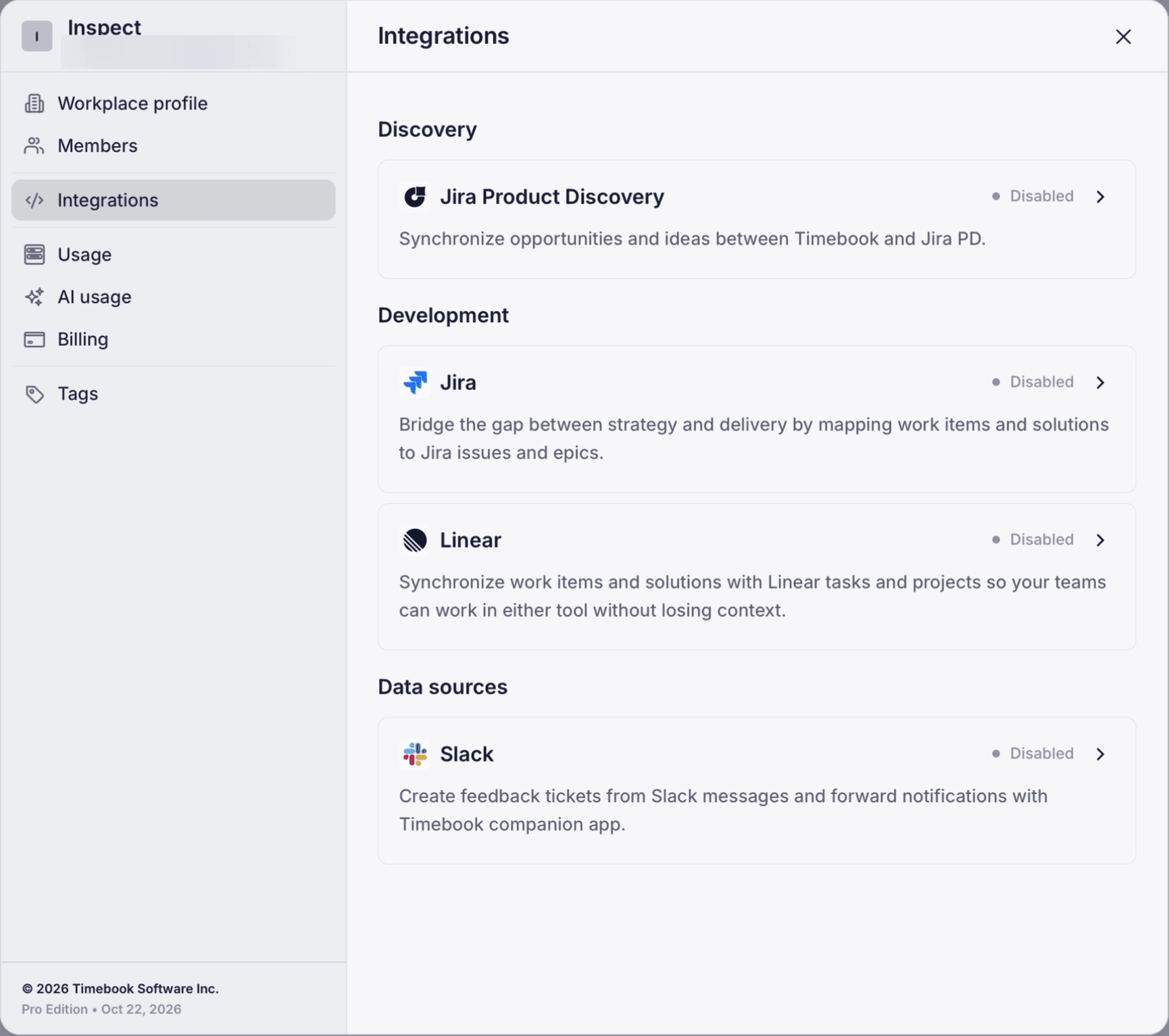
Timebook connects to Jira, Jira Product Discovery, Linear, Slack, Zoom and Google Meet, and it offers an MCP connector. That means feedback and interviews can flow in from where a team already works. The connections live under workspace settings, a few clicks from the dashboard, rather than among the getting-started steps.
A team that plans to feed Timebook from its existing tools should start in settings, not in the checklist.
In practice: from sign-up to a first ticket
A cold run signed up by email and reached the dashboard in about five minutes. The steps were a code by email, a password, a name, a workspace, a product and its website. The competitor report was ready on arrival.
From there, the run pasted two customer notes into the feedback box. Each one became a feedback item within seconds, with a summary and drafted follow-up actions waiting for approval. The ranked list of opportunities, the step the homepage leads with, needs a body of feedback behind it. In a new workspace, that means connecting a source first.
The pricing take
Timebook charges per editor seat. Pro is $24 a month, or $19 billed annually, and Business is $48 or $38, with custom Enterprise pricing above that. Reviewers are free and unlimited, so stakeholders can read and approve without taking a seat. Pro includes 1,500 AI credits per seat each month and Business 3,000, pooled across the workspace, and unused credits do not roll over. Reports, transcription, insight extraction and ticket typing all draw on that pool, and the usage page itemises where the credits went. The integrations come with Business, so a team that wants feedback flowing in automatically should price that tier. A 14-day trial of Pro starts without a card.
Final thoughts
Timebook's ranking and drafting run on the feedback a team already collects, so the thing to weigh is how much customer evidence you can connect on day one.
Choose it if:
- Your team already gathers interviews and feedback in tools like Jira, Linear, Zoom or Slack, and wants it read and ranked in one place
- You want each opportunity scored on how important the problem is to users and how satisfied they are today
- You want stakeholders to review and approve reports in the same place the evidence lives
Look elsewhere if:
- You are starting without a stream of customer feedback, since the product works on evidence you bring
- Your feedback lives mainly in spreadsheets, which the feedback box does not take as files
- Your roadmap is set elsewhere and the team's job is only to execute it, a fit Timebook's own site rules out
What is Timebook?
Timebook is an AI product management platform at timebook.ai. It collects customer feedback from interviews, notes and connected tools, extracts insights, and turns them into scored opportunities, drafted solutions and PRDs, with reports for stakeholders.
Who is Timebook for?
Product managers and product teams who turn customer feedback into roadmap decisions and need to show the evidence behind them. Its own site says it fits poorly where the roadmap is set elsewhere and the team only executes it.
How much does Timebook cost?
Pro is $24 per editor per month, or $19 billed annually, and Business is $48 or $38, with custom Enterprise pricing. Reviewers are free. Pro includes 1,500 AI credits per seat each month and Business 3,000, and a 14-day Pro trial needs no card.
Which tools does Timebook connect to?
Jira, Jira Product Discovery, Linear, Slack, Zoom and Google Meet, plus an MCP connector. They are set up under workspace settings and come with the Business plan.
What files can Timebook import?
Interviews upload as .txt or .vtt transcripts, or as video and audio files. Feedback can also be typed or pasted into the feedback box.
Before the world sees it, let the inspectors see it first.
Expert review · 48-hour turnaround · A review that stays